Delete group
This tutorial will help you to:
- Delete a group from the organization's directory.
- Delete the permissions, content access, notification schemes, and roles granted to the users.
This API will not do the following:
- Delete groups that are synchronized through SCIM. To delete these groups, you will need to delete them within your external identity provider. Learn more about configuring user provisioning with an identity provider.
- Delete a group if it’s marked as a default group.
- Delete
site-admingroup and therefore revoke org-admin role from a user. - Delete a group if it contains users (unless forced).
Before you begin
To complete this tutorial, you need the following:
- A basic understanding of Atlassian Administration.
- Org Admin access to Atlassian Adminstration.
API token ≠ API key:
- This tutorial uses both API token and API key.
- API token is used with Basic authentication.
- API key is used as a Bearer token.
Step 1: Get groupId
This is a required path parameter to delete a group.
1. Get API token
An API token is needed to get the groupId in the next step. Use the API token to authenticate your script.
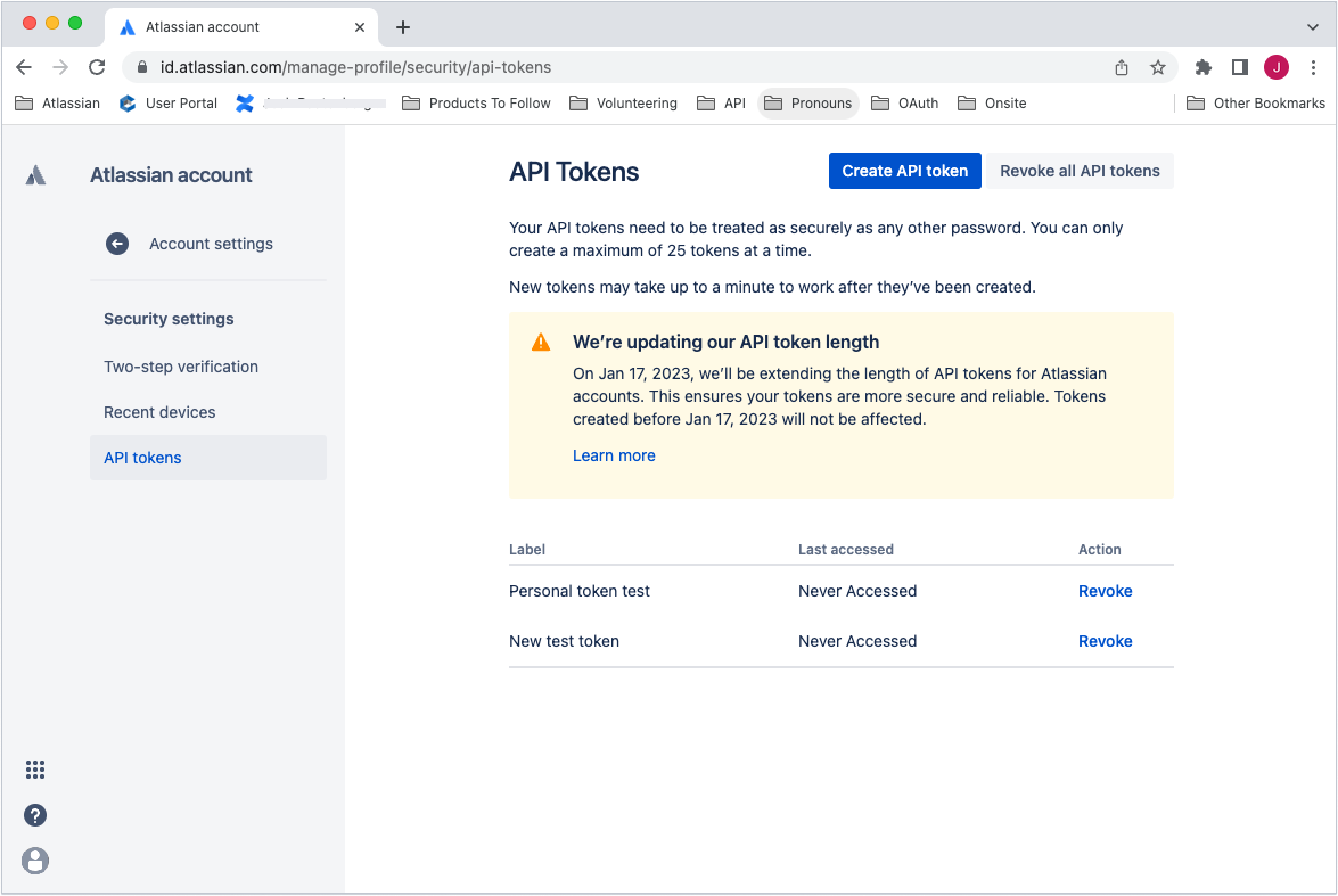
To create an API token:
- Go to your Atlassian account to create API token.
- Select Create API token at the top of the screen.
- Name the token.
- Copy the field values and store them securely - you will not be able to see it again.
2. Get groupId
To get the groupId:
-
Use the Jira group search API with the API token and Basic authentication to get the groupId: GET
/rest/api/3/groups/picker1 2 3 4 5
curl --request GET \ --url 'https://your-domain.atlassian.net/rest/api/3/groups/picker' \ --user 'email@example.com:<api_token>' \ --header 'Accept: application/json' -
Search the results by email address or name to find the correct accountId.
Learn more about the Jira API.
If you don’t have Jira, export a .csv of the user list. Make sure to select pivot to column when prompted. Learn how to export users from a site
Step 2: Delete group
1. Get API Key and Organization ID
The Delete group script uses an API key as a Bearer access token. It also uses the Organization ID field as a path parameter.
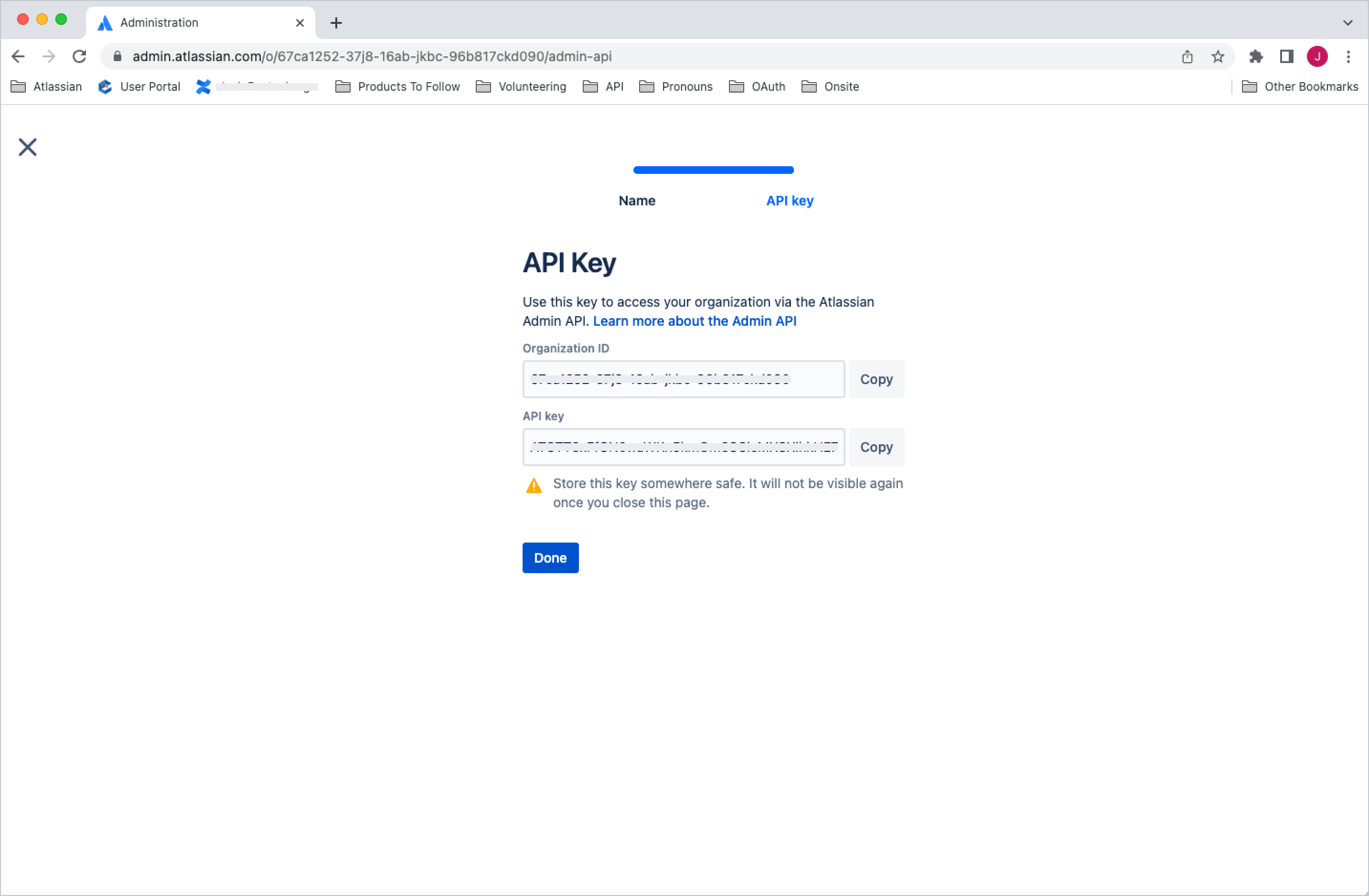
To create an API key and get the Organization ID:
- Go to Atlassian Administration. Select your organization if you have more than one.
- Select Settings > API keys.
- Select Create API key on the top right.
- Enter a name that you’ll remember to identify the API key.
- By default, the key expires one week from today. If you’d like to change the expiration date, pick a new date value under Expires on. You’re unable to select a date longer than a year from the date of creation.
- Select Create to save the API key.
- Copy the values of Organization ID and API key fields by selecting the copy button. Make sure you store these values in a safe place, as we won't show them to you again.
- Select Done. The key will appear in your list of API keys.
Learn more about the API keys.
2. Get directoryId
The v2 APIs are directory-aware, so you need a directoryId as a path parameter. Use the API key and Organization ID from the previous step with the Get directories endpoint to get the directoryId: GET /admin/v2/orgs/{orgId}/directories
1
2
3
4
5curl --request GET \
  --url 'https://api.atlassian.com/admin/v2/orgs/{orgId}/directories' \
  --header 'Authorization: Bearer <access_token>' \
  --header 'Accept: application/json'
Search the results to find the correct directoryId.
Learn more about the Get directories API.
3. Delete group
Use the groupId, directoryId, API key and Organization ID from the previous steps to delete group: DELETE /v2/orgs/{orgId}/directories/{directoryId}/groups/{groupId}
1
2
3
4
5curl --request DELETE \
  --url 'https://api.atlassian.com/admin/v2/orgs/{orgId}/directories/{directoryId}/groups/{groupId}' \
  --header 'Authorization: Bearer <access_token>' \
  --header 'Accept: application/json'
To force delete even when the group is not empty:Use the groupId, directoryId, API key and Organization ID from the previous steps to delete group: DELETE /v2/orgs/{orgId}/directories/{directoryId}/groups/{groupId}?forceIfNotEmpty=true
1
2
3
4
5curl --request DELETE \
  --url 'https://api.atlassian.com/admin/v2/orgs/{orgId}/directories/{directoryId}/groups/{groupId}?forceIfNotEmpty=true' \
  --header 'Authorization: Bearer <access_token>' \
  --header 'Accept: application/json'
Make your first request and get started with the Delete group API and get more information on error codes.
Rate this page: