Rename group
This tutorial will help you to:
- Rename a group in the organization's directory.
- Update the description of a group.
- Keep the permissions, content access, notification schemes, and roles granted through the group while changing its name.
This API will not do the following:
- Rename groups that are synchronized through SCIM. To rename these groups, you will need to rename them within your external identity provider. Learn more about configuring user provisioning with an identity provider.
- Rename
site-admins,org-admins,system-administrators,atlassian-addons, oratlassian-addons-admin, or rename a group to one of these names. - Rename a group to a name that already exists in the directory.
- Rename a group that is referenced in a Jira configuration that doesn’t support group renames, such as a permission scheme, notification scheme, project role, workflow, or saved filter. Remove the group from that configuration first, or add the group under its new name.
Before you begin
To complete this tutorial, you need the following:
- A basic understanding of Atlassian Administration.
- Org Admin access to Atlassian Administration.
1. Get API Key and Organization ID
The Rename group script uses an API key as a Bearer access token. It also uses the Organization ID field as a path parameter.
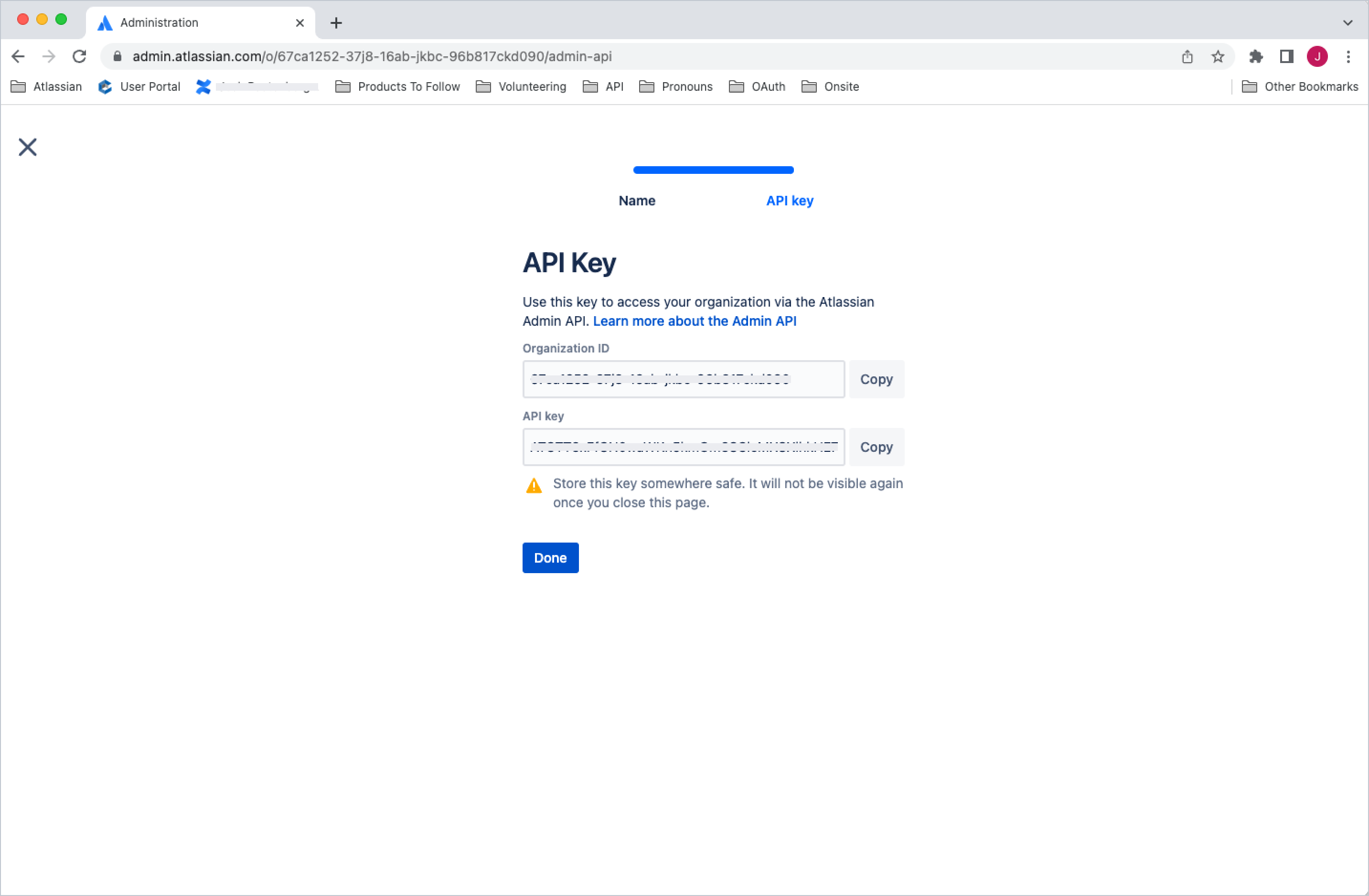
To create an API key and get the Organization ID:
- Go to Atlassian Administration. Select your organization if you have more than one.
- Select Settings > API keys.
- Select Create API key on the top right.
- Enter a name that you’ll remember to identify the API key.
- By default, the key expires one week from today. If you’d like to change the expiration date, pick a new date value under Expires on. You’re unable to select a date longer than a year from the date of creation.
- Select Create to save the API key.
- Copy the values of Organization ID and API key fields by selecting the copy button. Make sure you store these values in a safe place, as we won't show them to you again.
- Select Done. The key will appear in your list of API keys.
Learn more about the API keys.
2. Get directoryId
The v2 APIs are directory-aware, so you need a directoryId as a path parameter. Use the API key and Organization ID from the previous step with the Get directories endpoint to get the directoryId: GET /admin/v2/orgs/{orgId}/directories
1
2
3
4
5curl --request GET \
  --url 'https://api.atlassian.com/admin/v2/orgs/{orgId}/directories' \
  --header 'Authorization: Bearer <access_token>' \
  --header 'Accept: application/json'
Search the results to find the correct directoryId.
Learn more about the Get directories API.
3. Get groupId
The groupId is a required path parameter to rename a group. Use the directoryId, API key and Organization ID from the previous steps with the Search for groups endpoint and the current group name as the search term: POST /admin/v2/orgs/{orgId}/directories/{directoryId}/groups/search
1
2
3
4
5
6
7
8
9
10curl --request POST \
  --url 'https://api.atlassian.com/admin/v2/orgs/{orgId}/directories/{directoryId}/groups/search' \
  --header 'Authorization: Bearer <access_token>' \
  --header 'Accept: application/json' \
  --header 'Content-Type: application/json' \
  --data '{
  "searchTerm": "<current group name>",
  "limit": 20
}'
Search the results by group name to find the correct groupId.
Learn more about the Search for groups API.
4. Rename group
Use the groupId, directoryId, API key and Organization ID from the previous steps to rename the group: PUT /admin/v2/orgs/{orgId}/directories/{directoryId}/groups/{groupId}
Only the fields you include in the request body are changed. To rename the group and keep its current description, send only name:
1
2
3
4
5
6
7
8
9curl --request PUT \
  --url 'https://api.atlassian.com/admin/v2/orgs/{orgId}/directories/{directoryId}/groups/{groupId}' \
  --header 'Authorization: Bearer <access_token>' \
  --header 'Accept: application/json' \
  --header 'Content-Type: application/json' \
  --data '{
  "name": "<new group name>"
}'
To rename the group and update its description at the same time, send both fields:
1
2
3
4
5
6
7
8
9
10curl --request PUT \
  --url 'https://api.atlassian.com/admin/v2/orgs/{orgId}/directories/{directoryId}/groups/{groupId}' \
  --header 'Authorization: Bearer <access_token>' \
  --header 'Accept: application/json' \
  --header 'Content-Type: application/json' \
  --data '{
  "name": "<new group name>",
  "description": "<new description>"
}'
A successful request returns 204 No Content. If the group can’t be renamed, the API returns:
400when the group is synchronized through SCIM, is restricted from being modified, or is referenced in a Jira configuration that doesn’t support renames.409when a group with the new name already exists in the directory, or the new name is restricted.
Make your first request and get started with the Update group API and get more information on error codes.
Rate this page: