Set pricing for JSM-only Marketplace apps
You can specify that your Marketplace app is compatible with Jira Service Management (JSM) only, instead of the entire Jira Cloud. This gives you a targeted way to market and promote apps built for a specific Atlassian app, such as JSM. A new billing model called agent-based billing, supports JSM-only Marketplace apps. Agent-based billing is available for Marketplace apps on Commercial cloud. It isn't available yet for Atlassian Government Cloud or Isolated Cloud.
How does agent-based billing work?
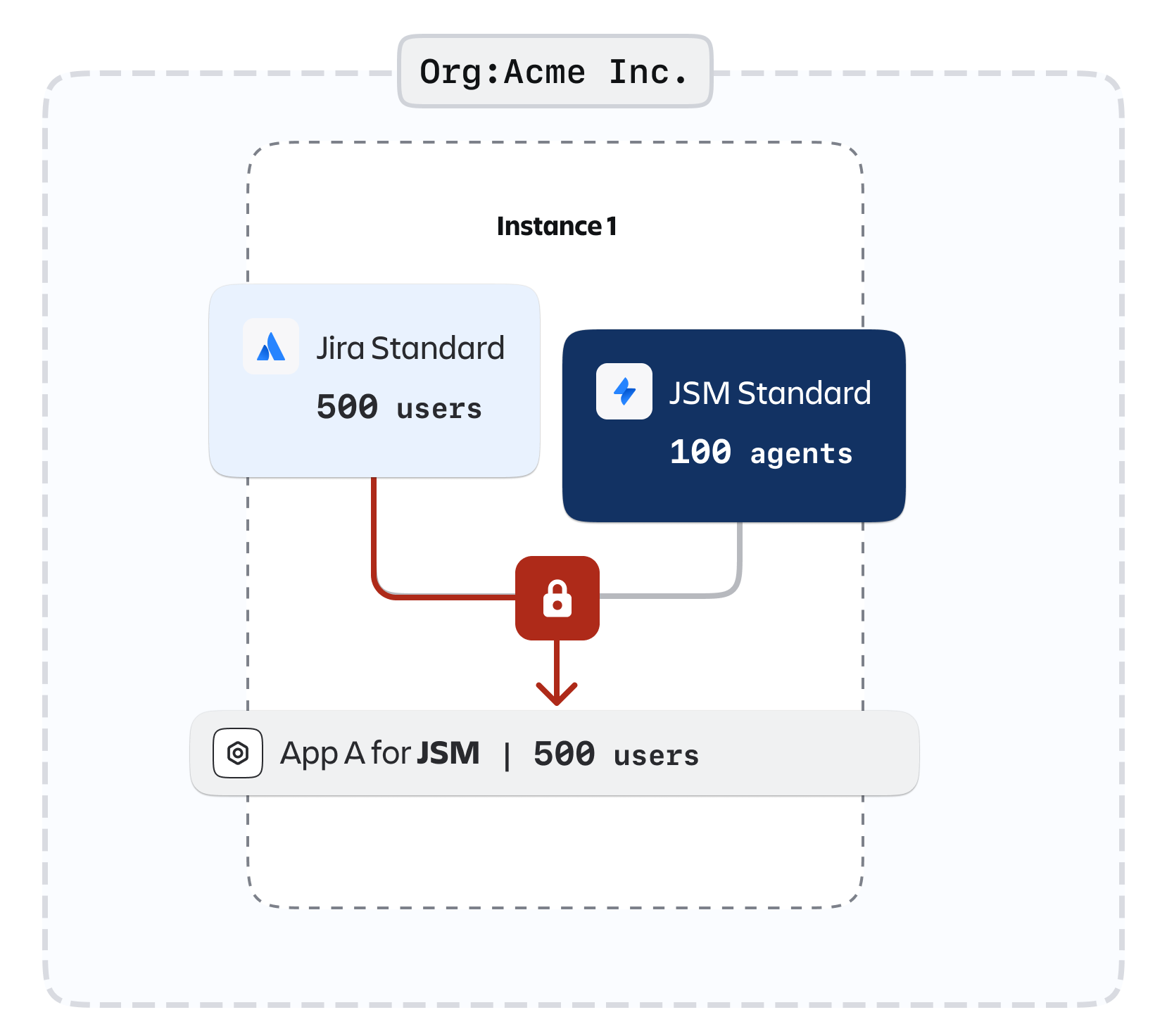
In the existing experience, Jira Cloud determines the compatibility of an app, not the individual Jira app. As a result, customers who acquire a Marketplace app for a particular product pay for the maximum number of users across all Jira products installed on the same site.
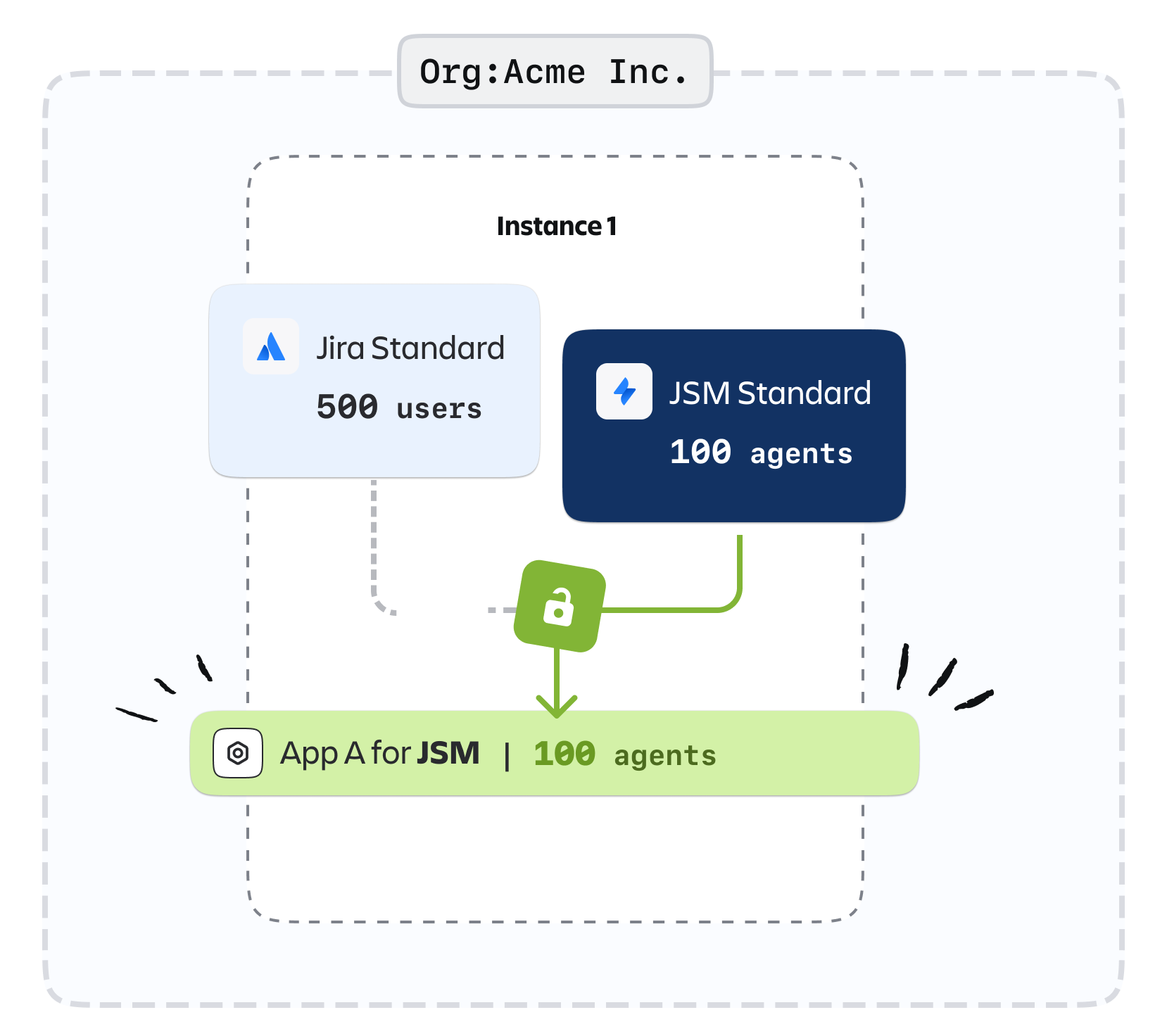
With the agent-based billing model, customers pay based on the number of agents who have access to JSM-only apps, or to apps that are compatible only with JSM.
Existing licensing model
Agent-based billing model
Prerequisites
Agent-based billing is available to all Marketplace partners. To create a JSM-only app listing, prepare the following:
- A new Forge app and your Marketplace partner profile. Only new apps can be published as JSM-only. You can't switch an existing Jira app to JSM-only.
- Your planned prices for JSM agent tiers. You can enter prices directly or import a CSV file.
- A distinct app to list. You can't list both a JSM-only version and a full Jira version of the same app.
If you want to move an existing app to agent-based billing in the future, let us know through this form.
Publish a JSM-only app
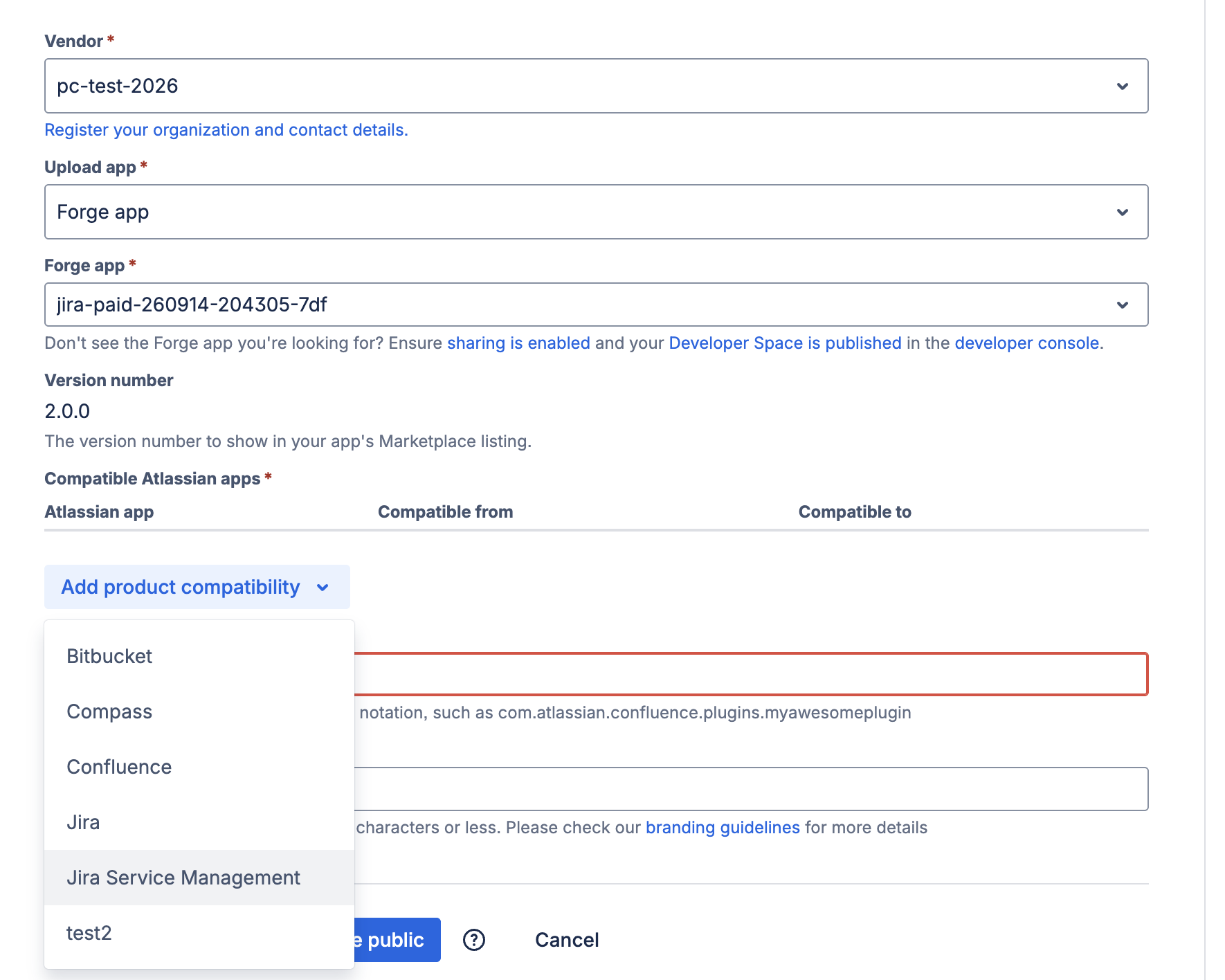
You publish a JSM-only app the same way as any other app. The only difference is that you select Jira Service Management as the compatible Atlassian app.
-
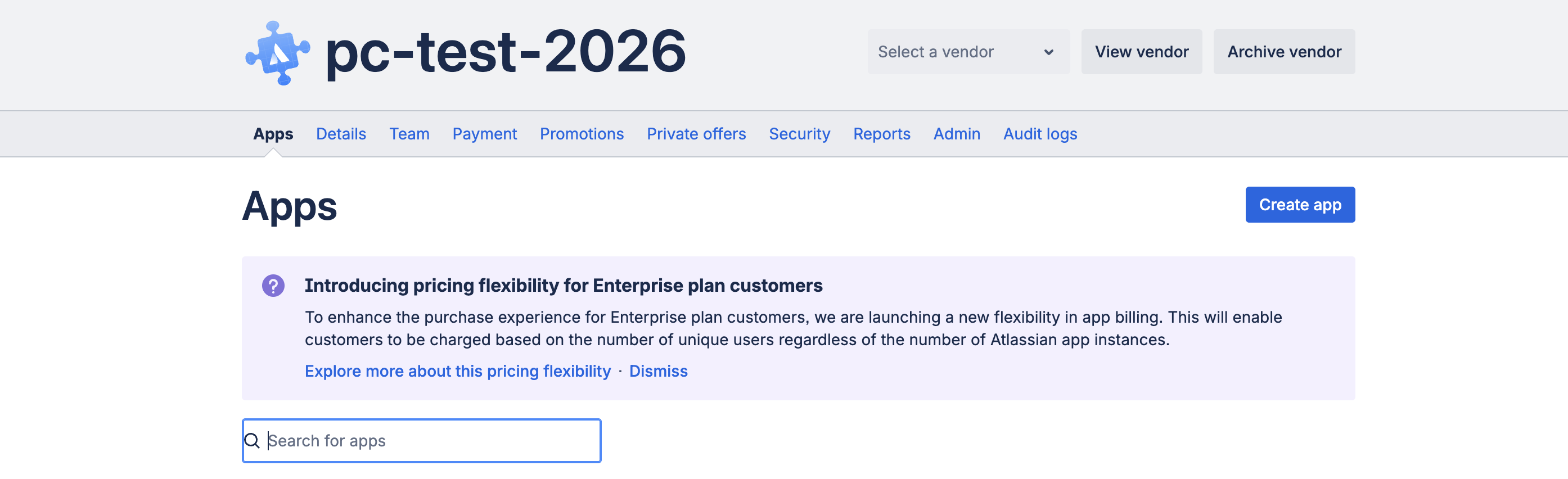
Select Create app.
-
Choose your partner profile and your Forge app. In Compatible Atlassian apps, select Jira Service Management.
-
Enter the App key and App name, then select Next: Make public.
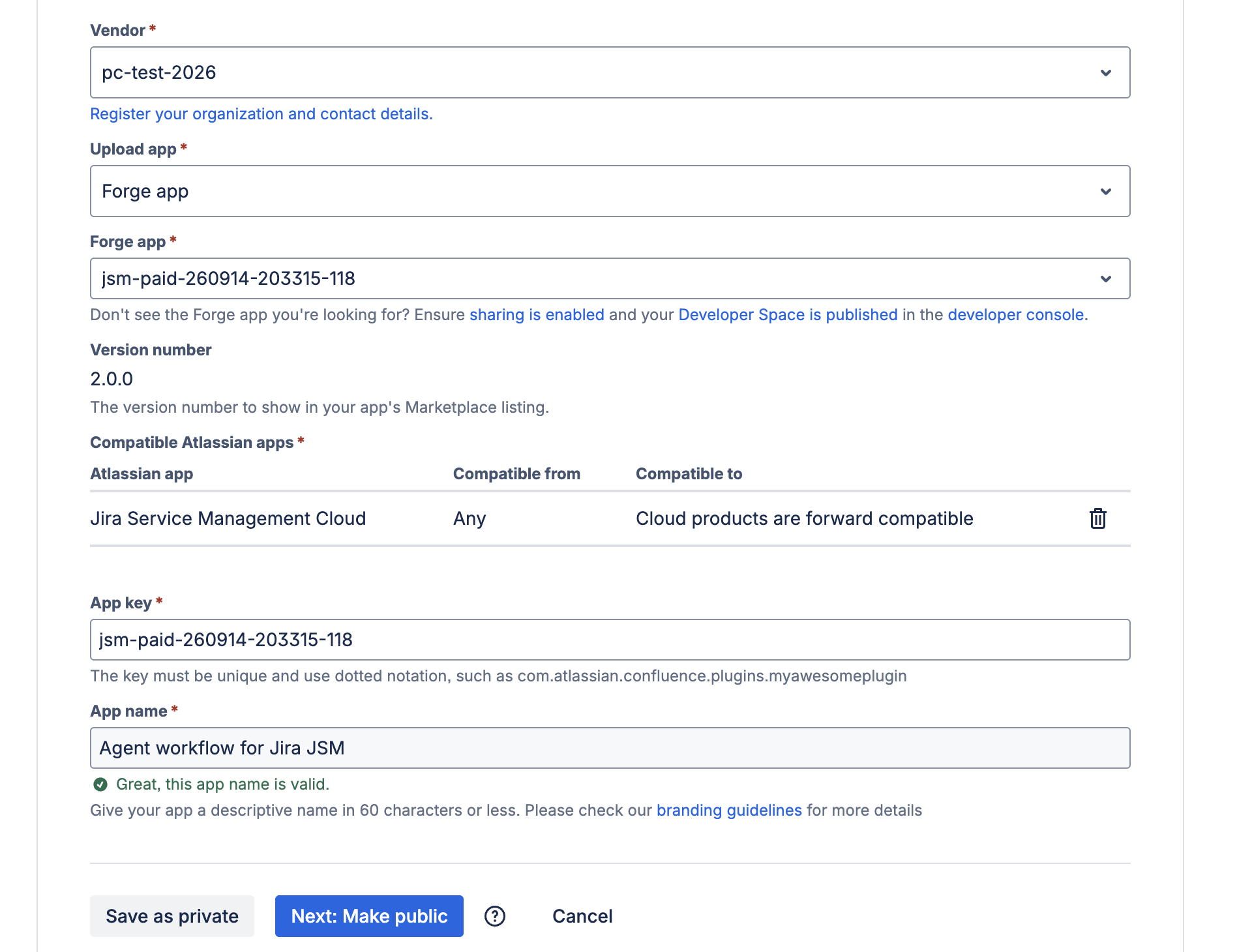
-
Continue with the publishing process. The following screenshot shows only the first screen you see. You need to complete more steps before your app is published. For detailed guidance, read Create your Marketplace listing and link your Forge app.
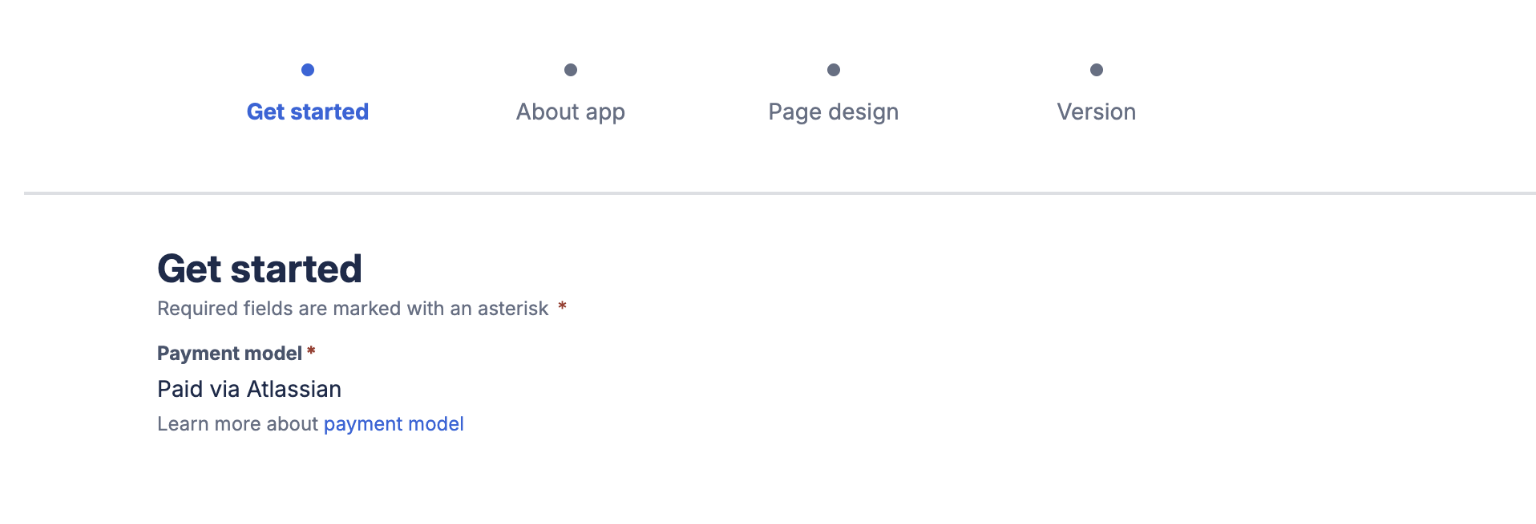
Set the price for your JSM-only app
You can set your own pricing using any of the following approaches:
- Set a percentage of the JSM price.
- Match your app's tiers to JSM tiers.
- Set custom prices.
To set the price:
-
Go to your app's pricing page, then select Edit pricing.
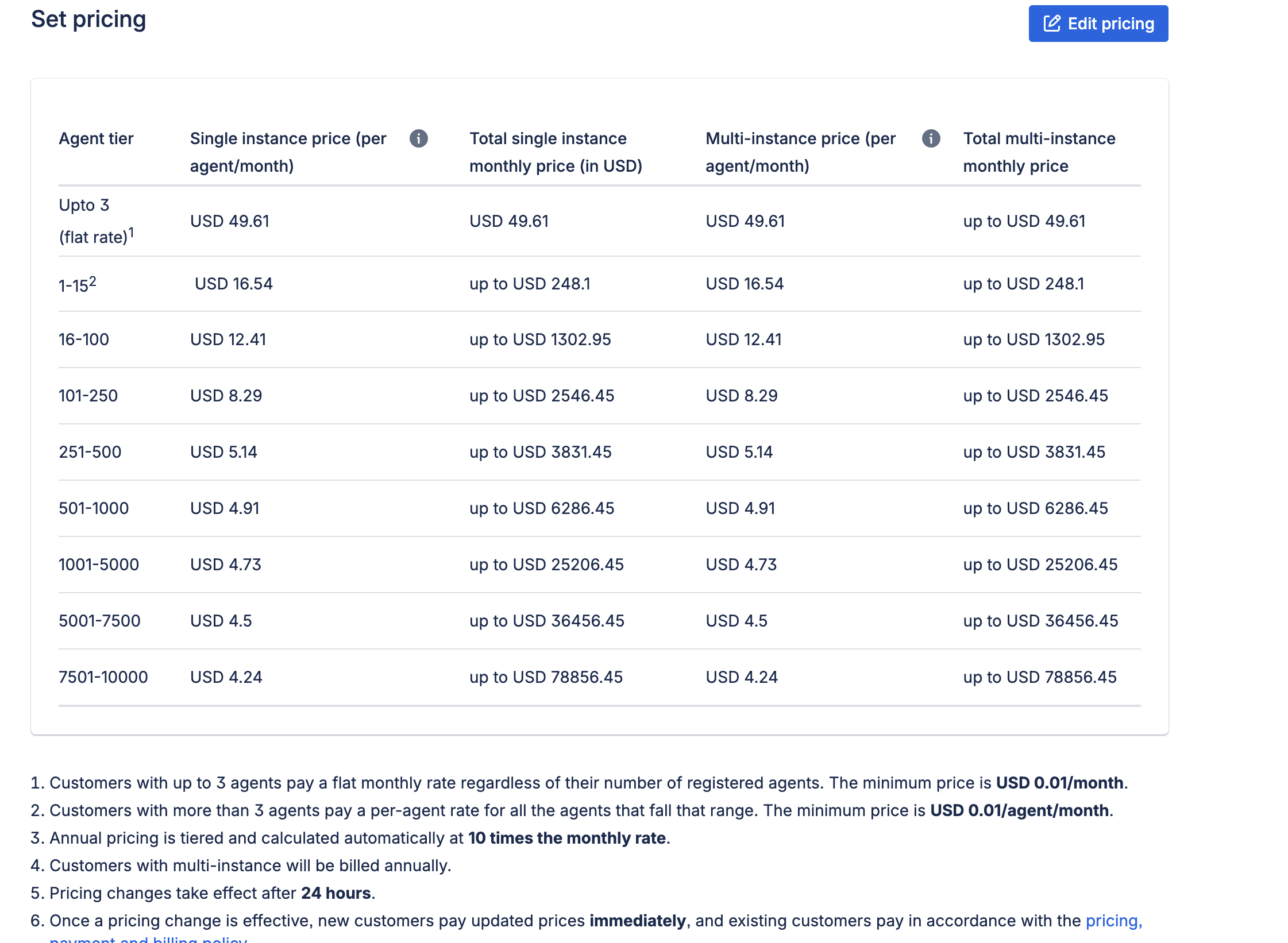
-
Enter your prices directly, or import them from a CSV file.
To use a CSV file, select Import pricing. You can also select Download to get our template, which makes your file easier to validate.
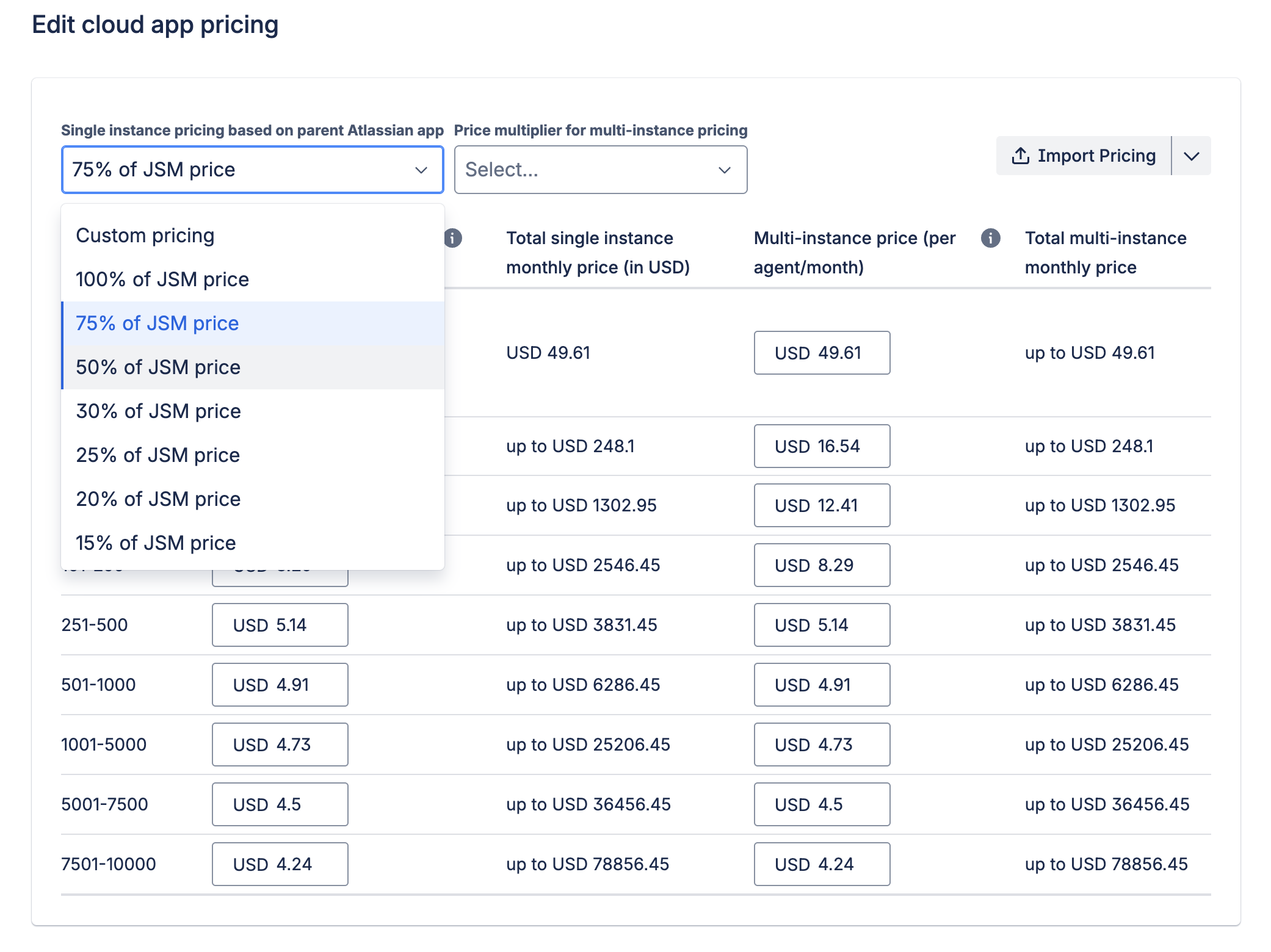
-
When validation is complete, select Save cloud pricing to submit. A message confirms the status.
Things to note
- Only JSM agents can access a JSM-only app.
- Customers can find JSM-only apps using the Works with Jira Service Management filter on the Marketplace homepage.
- JSM-only apps can join all trust programs, including Cloud Fortified, Runs on Atlassian, and Atlassian Enterprise Certified.
- Your existing app listings, pricing, customer contracts, and billing aren't affected.
For more information about pricing and billing, see Pricing, payment, and billing.
Rate this page: